FREELANCING
Invoice chaser for freelancers
A small tool that tracks who owes you money and sends a polite reminder at the right time.
- TIME TO A FIRST VERSION
- About 4 minutes (252 seconds, one build)
- COST TO A FIRST VERSION
- 1 build (a Free account has 3)
- DIFFICULTY
- Medium
- BEST FOR
- Freelancers and one-person agencies who send a few invoices a month
The problem
Freelancers often send an invoice and then lose track of which ones are paid. Chasing a client feels awkward, so reminders go out late or not at all.
“They always eventually pay, but it always takes a ridiculous amount of energy to get to that point.”
How many customers look for this
Searches by people who want to buy what this business sells: a sign of demand from your future customers.
| SEARCH | PER MONTH |
|---|---|
| invoice app | 2,900 |
| invoice tracker | 720 |
| invoice reminder | 320 |
Average monthly Google searches in the United States, from OpenSEO (November 2026). A "near me" search counts every town, so one town sees a small share of it. Similar searches overlap, so do not add them up.
What people use today
- FreshBooks. Invoicing and accounting with automatic late-payment reminders. Paid plans only, and the cheapest is limited to 5 billable clients.
- Wave. Free invoicing and accounting. Automatic reminders need the paid Pro plan or online card payments switched on.
- A spreadsheet. What most people use today: free, but nothing reminds you.
Should you build this?
REASONS TO BUILD IT
- The job is small and clear: a list of invoices, due dates and a reminder.
- Everyone who invoices has the problem, so it is easy to explain.
REASONS NOT TO
- Accounting tools already include reminders, so you need a clear reason why someone would add another tool.
- Sending email from your own tool needs care so reminders do not land in spam.
How we built it, and what broke
PROMPT 1
A simple invoice tracker for freelancers. I can add an invoice with a client name, amount, currency and due date, and mark it paid. The home page shows what is overdue, what is due this week and what is paid, with the total owed at the top. Each overdue invoice has a button that opens a polite reminder email I can copy. Members sign in with their email so each freelancer only sees their own invoices.
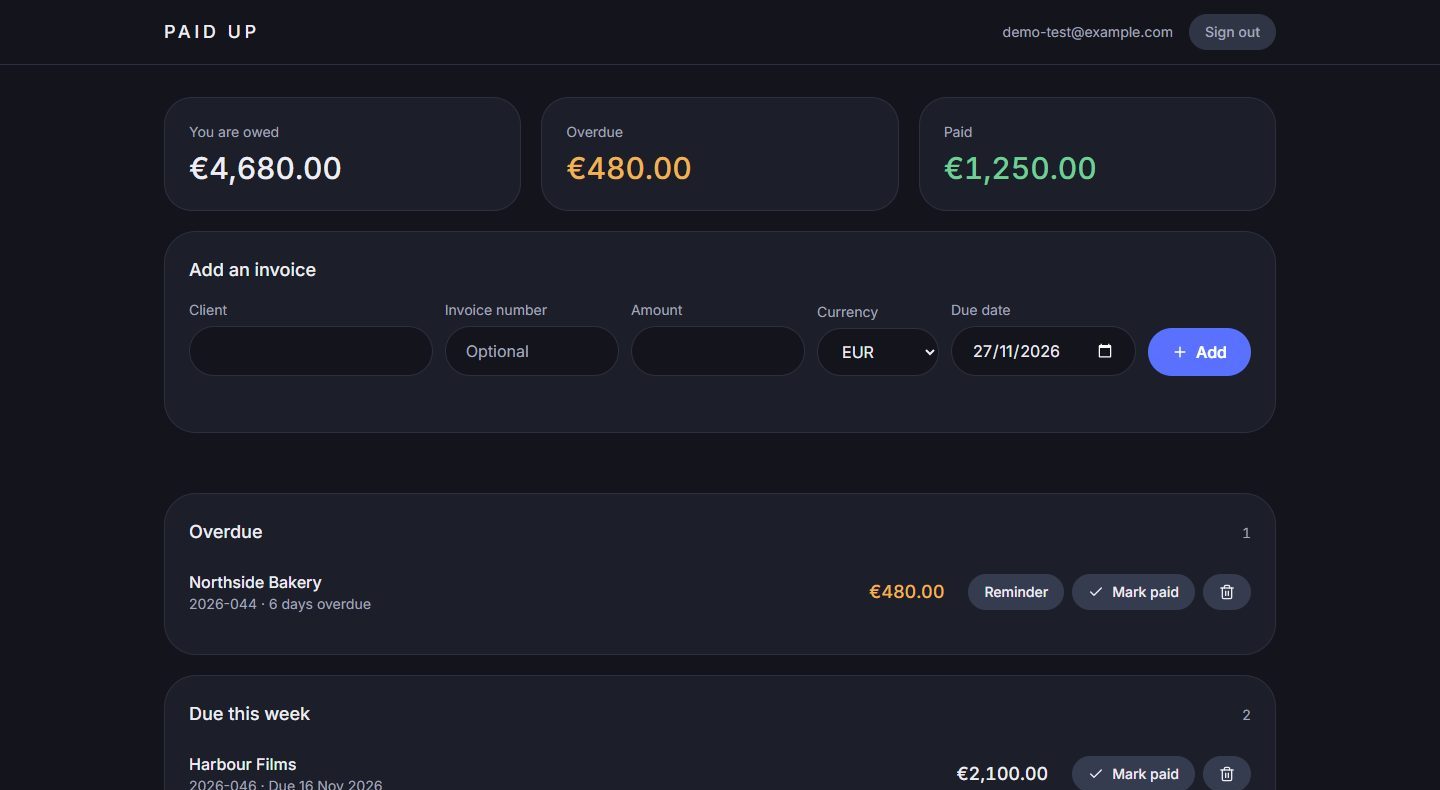
Built first time in 4 minutes 12 seconds with no repair, in 19 files: sign-in by emailed code, adding, editing, deleting and marking invoices paid, the total owed at the top, sections for overdue, due this week and paid, and a reminder you can copy or open in your email app. Each freelancer sees only their own invoices.
- An app with accounts takes longer to build than a plain site: this one took more than twice as long as the tutor site.
- The AI named the app “Chaser” and wrote the home page text itself, with a note asking you to confirm or replace both.
- The example you can open and copy on this page was made separately, with its own look. The steps here show what the prompt alone gives you on Conquer, in the default dark style.
Where to find the first customers
- Reddit communities for freelancers. Answer questions about late payments and mention the tool only where it fits.
- LinkedIn. Post the before and after of one real overdue invoice, with the client's name removed.
Last updated . Competitors and market notes are a starting point for your own research, not advice.
More business ideas
- FREELANCINGClient portal for freelancersA private page per client with the project status, files to review and what is needed from them.HARD TO BUILD · WORKING EXAMPLE
- MARKETPLACESLocal business directoryA directory of one kind of business in one town, with paid featured places.MEDIUM TO BUILD · WORKING EXAMPLE
- SERVICESSite for an IT consulting businessAn IT consultant's site with services for small businesses, short case studies and a form to book a first call.EASY TO BUILD · WORKING EXAMPLE